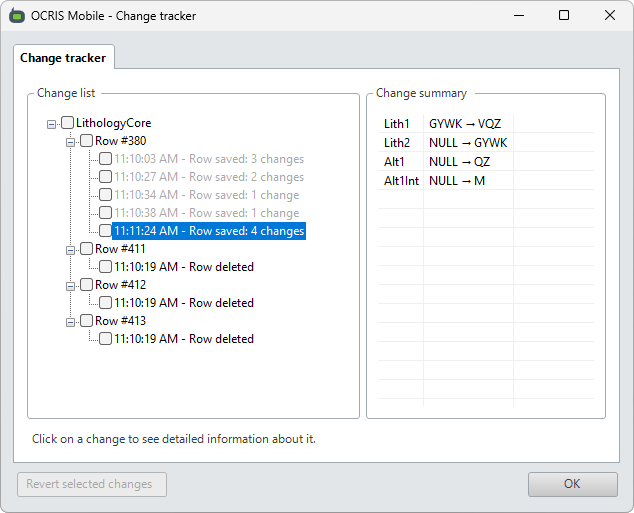
OCRIS Mobile has a built-in change tracker that will track the 100 most recent edits made to the data grid. While users are working in the data grid, they can press the CTRL+Z hotkey to instantly undo the most recent change. Users can also click on the Change tracker button to view the edits. They can revert edits in this UI by checking the box next to the edits that they want to revert, and then clicking on the Revert selected changes button.
Deleting data
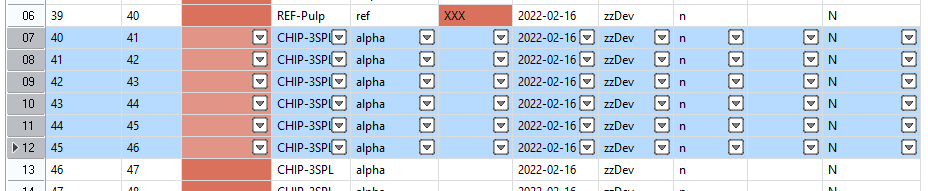
Data that has not been exported to an OXO file can be deleted from a Worksheet. It is possible to delete one or more entire rows, individual cells or a block of cells. The row or rows that will be deleted are highlighted in a light blue colour.

To delete a single row, click inside the number column on the left of the worksheet on the row to be deleted and hit the DEL key or the red minus button on the bottom of the worksheet.
To delete mulitple contiguous rows of data, select the desired rows by clicking on the row in the numbered column on the left of worksheet, hold down the SHIFT key and select the last row and hit the DEL key. All rows selected will be deleted. Please note: the red minus button will only delete the last row selected, not the entire block.
Comments
0 comments
Please sign in to leave a comment.