The following layout options are available:
Reset layout
OCRIS Mobiles allows the tabs in the worksheet area to rearranged and reordered by dragging and snapping them.
You can click on the Reset layout button to reset the customized layout back to its default state.
Manage columns
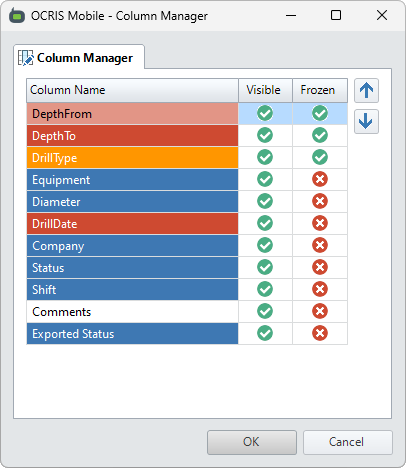
You can click on the Manage columns button to open up the column management UI. This allows you to do the following:
- Change the display order of the columns by selecting a column and using the up or down buttons to re-order it.
- Show or hide a column by toggling its value in the 'Visible' section.
- Lock a column (or a group of columns) to the left side of the grid by toggling its value in the 'Frozen' section.
Comments
0 comments
Please sign in to leave a comment.